
 Monday to Friday: 10:00 AM – 6:00 PM
 Talk with us:
 PAYROLL SOFTWARE COMPARISON
Cloud Payroll Software vs Traditional Payroll Software: Which Is Better?
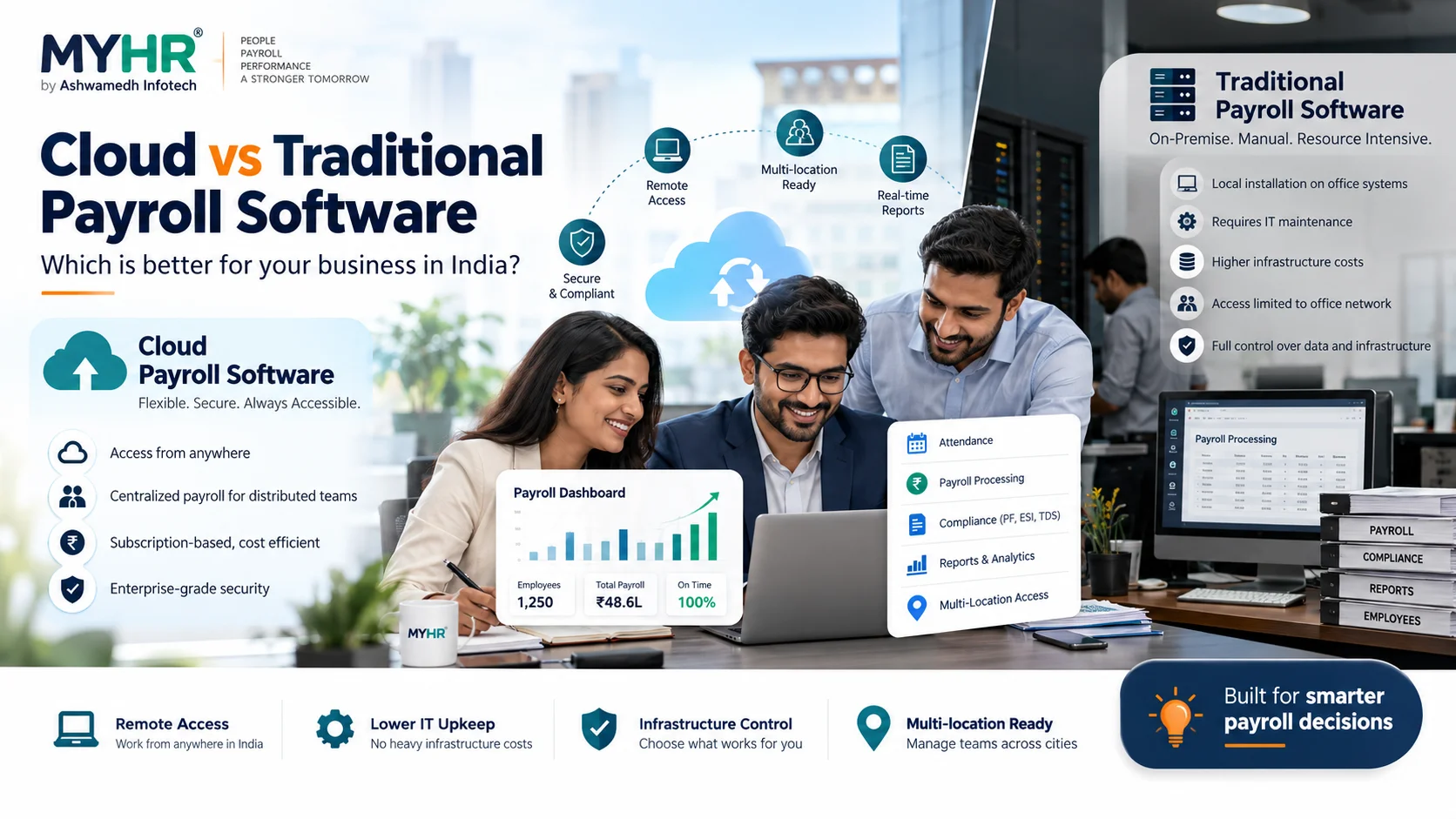
Cloud payroll software and traditional on-premise payroll software can both process salaries. The meaningful difference is where the application is hosted, who operates the infrastructure, how authorised teams access it, and which maintenance responsibilities sit with the vendor or the customer. There is no universal winner: the best model depends on your organisation’s data, connectivity, customisation and support requirements.
- Cloud systems are typically easier for distributed teams to access, subject to internet and permissions.
- On-premise systems can provide more direct infrastructure control, but also create local maintenance responsibilities.
- MYHR supports cloud SaaS and also describes on-premise deployment options; confirm scope before selecting.
| Factor | Cloud payroll | Traditional / on-premise |
|---|---|---|
| Hosting | Vendor-managed cloud service | Organisation or its IT partner |
| Remote access | Usually built for authorised online access | Depends on network and configuration |
| Maintenance | Vendor generally maintains SaaS platform | Internal/contracted IT handles more upkeep |
| Cost model | Recurring subscription plus scoped extras | Licensing/infrastructure and support costs |
| Best fit | Distributed teams seeking cloud operations | Teams requiring controlled local infrastructure |
What is the difference between cloud and traditional payroll?
Cloud payroll is hosted in a managed environment and accessed through authorised accounts. Traditional payroll commonly runs on infrastructure maintained by the organisation or its IT partner. Both can support configurable salary calculations, reporting and employee data, depending on the product.
Practical takeaway: The key decision is operating model, not simply whether a screen looks modern.
Compare access, ownership and upkeep
Cloud solutions may support teams spread across offices and factories without each site maintaining a separate installation. Traditional systems can suit organisations with strict local infrastructure policies or highly specialised internal controls. Compare vendor responsibilities for backups, software updates, incident response and business continuity in writing.
Practical takeaway: A cloud subscription does not automatically guarantee uninterrupted service or superior security. Ask for concrete documentation and contract terms.
Compare total cost—not only licence price
An on-premise project may include licences, hardware, IT administration, backups, upgrades and periodic support. A SaaS project may include recurring fees plus implementation, data migration, integrations, customisation and taxes. Model costs over 24–36 months using your real employee count and support requirements.
Practical takeaway: MYHR’s public SaaS plans provide a starting point, but your final scope and quotation may differ.
Multi-location teams: what changes?
Branches need reliable employee master data, location-wise permissions and consolidated reporting. A cloud operating model can reduce separate local installations, but permissions and payroll approvals still need configuration. MYHR has documented a pharmaceutical manufacturing project where six factory locations used location-based access and centrally processed payroll.
Practical takeaway: This case study illustrates workflow design; it is not a promise of identical results for every buyer.
Security questions to ask either provider
Ask about access controls, authentication options, encryption, backups, recovery objectives, audit logs, data-export procedures, retention periods, hosting locations and responsibilities on termination. Get verified answers from the vendor; avoid assuming a feature or certification exists simply because the system is cloud-based.
Practical takeaway: Your procurement, HR and IT stakeholders should review data handling before migration.
When should you choose cloud payroll?
Cloud may be preferable if you want subscription billing, easier distributed access and reduced direct infrastructure administration. On-premise may be preferable when your company has specific infrastructure, integration or policy requirements. In either model, insist on a demo, parallel payroll validation and a written support plan.
Practical takeaway: For MYHR, evaluate the published cloud SaaS packages and separately confirm any on-premise requirements with the team.
Frequently asked questions
Is cloud payroll more secure than on-premise payroll?
Not automatically. Security depends on architecture, configuration, controls, operations and vendor practices in either model.
Can cloud payroll support multiple factory locations?
Yes, if the chosen product and tier support location-wise permissions and reporting. MYHR lists multi-location functionality from Professional onwards.
What if our internet connection is unreliable?
Assess connectivity, availability expectations, business continuity processes and the operational cost of outages before choosing a cloud-first model.
Can MYHR be deployed on-premise?
MYHR’s company page mentions cloud and on-premise deployment options. Discuss deployment and commercial scope directly with Ashwamedh Infotech.
Explore MYHR resources
MYHR BY ASHWAMEDH INFOTECH
See how MYHR could work for your team
Tell us your employee count, current payroll process and the modules you need. We’ll help you evaluate the right setup and clarify any implementation or integration scope.
helpdesk@ashwainfo.in
Editorial note: Feature availability follows the published MYHR SaaS plan comparison reviewed on 14 October 2026. Pricing excludes applicable taxes. Customisation, integrations and additional implementation can be separately charged. Confirm the latest terms before purchase.