
 Monday to Friday: 10:00 AM – 6:00 PM
 Talk with us:
 SOFTWARE SELECTION CHECKLIST
How to Choose the Best SaaS Payroll Software in India: 12-Point Checklist
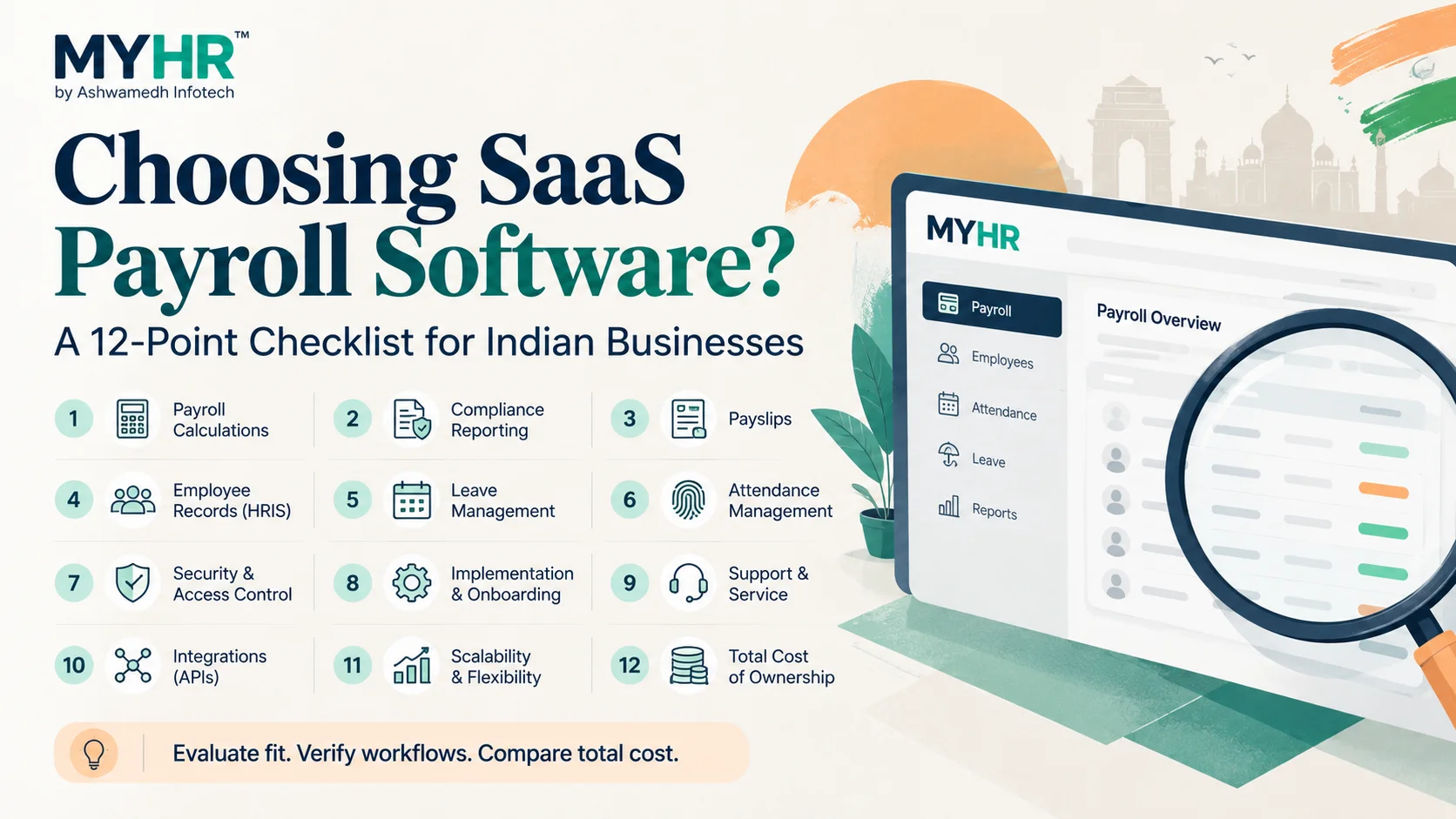
The best SaaS payroll software in India is not necessarily the one with the longest feature list or lowest advertised fee. It is the one that can process your actual salary rules reliably, support your team’s workflow and remain manageable as the organisation grows. Use the 12-point checklist below during product demos and ask every shortlisted vendor to show evidence.
- Start with real payroll exceptions and controls before comparing visual dashboards.
- Check plan-level feature exclusions, data handling and the full quotation.
- Pilot a payroll cycle before committing to a broad rollout.
| Illustrative scoring category | Suggested weight |
|---|---|
| Payroll & controls | 25% |
| Compliance-related reporting | 15% |
| HR & attendance fit | 15% |
| Security and access | 15% |
| Implementation & support | 15% |
| Total cost & scaling | 15% |
Adjust the weights to fit your organisation’s risk profile.
1–3: Validate salary processing, compliance and reporting
1. Payroll rules: test allowances, deductions, arrears, bonuses, joining dates and unpaid leave. 2. Statutory workflows: ask the vendor to demonstrate records and reports relevant to PF, ESIC, professional tax and TDS where applicable. 3. Reports and payslips: compare salary registers, bank-ready outputs, payslips and exception reports with your current process.
Practical takeaway: Software can support compliance workflows, but correct configuration and employer oversight remain essential.
4–6: Evaluate HR, leave and attendance
4. HR master data: ensure employee records, organisational structures and role permissions fit your workflow. 5. Leave handling: verify accruals, approvals and how unpaid leave reaches payroll. 6. Attendance: test existing biometric devices, mobile/field attendance and shift/overtime scenarios if relevant.
Practical takeaway: In MYHR, Starter has Payroll + ESS, Growth adds HR and leave, and attendance features begin at Professional.
7–9: Consider security, implementation and support
7. Access controls: ask about least-privilege roles, auditability and data exports. 8. Implementation: review employee import templates, historical balances, parallel runs and go-live acceptance criteria. 9. Support: clarify response process during payroll closure, escalation, training and post-launch ownership.
Practical takeaway: Get written commitments rather than relying on generic statements such as “enterprise grade”.
10–12: Assess integrations, scalability and total cost
10. Integrations: validate the exact attendance, accounting, bank or API needs; request a tested scope. 11. Scalability: confirm employee tiers, multi-location permissions and reporting as the company grows. 12. Total cost: compare subscriptions, implementation, integrations, taxes, renewal and exit/data export terms.
Practical takeaway: Use one scorecard for all providers to avoid selecting solely on a polished sales demo.
A simple decision scorecard
Score each area from 1 (poor fit) to 5 (strong fit): payroll accuracy and controls, compliance-related reporting, HR/attendance fit, usability, implementation, support, security practices and total cost. Weight the categories according to operational risk rather than giving every feature equal value.
Practical takeaway: Have HR, payroll, finance and IT score the demonstrations independently, then reconcile differences.
Questions to ask in your MYHR demo
Can the team run a salary calculation with a mid-month joiner and loss of pay? Which role can approve or reopen payroll? Can employees access their payslips? Which plan enables biometric or selfie attendance? How do multi-location reports work? Which implementation services and integrations are separately charged?
Practical takeaway: Ask to see the actual software screens and reports, not only a presentation deck.
Why industry evidence matters
A product’s value becomes clearer through real workflows. MYHR’s published six-factory pharmaceutical case study documents central payroll processing with location-specific approvals. Its field attendance case study explains a combined biometric and mobile approach. These examples help buyers evaluate specific use cases.
Practical takeaway: Case studies demonstrate prior configurations, not automatic availability of custom functionality in every subscription tier.
Frequently asked questions
What should I check first when choosing SaaS payroll software?
Begin with payroll calculations, statutory reporting needs, payslips, approvals and handling of real exceptions.
Should a small company pay for a complete HRMS?
Not necessarily. Choose the modules you need today, but check upgrade options and any plan limitations.
Does MYHR support multi-location payroll?
MYHR documents multi-location functionality in Professional and higher SaaS tiers, with a published six-factory case study.
How can I compare payroll software vendors fairly?
Give every vendor identical scenarios and requirements, require a live walkthrough and compare full costs and exclusions.
Explore MYHR resources
MYHR BY ASHWAMEDH INFOTECH
See how MYHR could work for your team
Tell us your employee count, current payroll process and the modules you need. We’ll help you evaluate the right setup and clarify any implementation or integration scope.
helpdesk@ashwainfo.in
Editorial note: Feature availability follows the published MYHR SaaS plan comparison reviewed on 14 October 2026. Pricing excludes applicable taxes. Customisation, integrations and additional implementation can be separately charged. Confirm the latest terms before purchase.